Offline POS For ERPNextAuto Sync Local DB
Essential Offline Point of Sales (POS) software for ERPNext V15 & above. Fast, Reliable, and Fully Integrated for Seamless Sales Operation! When ERPNext discontinued offline POS in version 13, busines...
A comprehensive offline POS built on Flutter
Essential Offline Point of Sales (POS) software for ERPNext V15 & above. Fast, Reliable, and Fully Integrated for Seamless Sales Operation! When ERPNext discontinued offline POS in version 13, businesses faced a major challenge sales would stop completely during internet outages or server downtime, directly impacting revenue. To solve this, we built a robust POS application (PosX) that works as long as the POS computer is powered on, ensuring sales never stop. This keeps your operations running smoothly, protects against revenue loss, and eliminates the need to stay on outdated ERPNext versions. With our solution, you can confidently upgrade to the latest ERPNext releases and stay future-ready without sacrificing offline sales capability.
Essential Offline Point of Sales (POS) software for ERPNext V15 & above. Fast, Reliable, and Fully Integrated for Seamless Sales Operation!
When ERPNext discontinued offline POS in version 13, businesses faced a major challenge sales would stop completely during internet outages or server downtime, directly impacting revenue. To solve this, we built a robust POS application (PosX) that works as long as the POS computer is powered on, ensuring sales never stop. This keeps your operations running smoothly, protects against revenue loss, and eliminates the need to stay on outdated ERPNext versions. With our solution, you can confidently upgrade to the latest ERPNext releases and stay future-ready without sacrificing offline sales capability.
Operating System Agnostic
Our POS is built on Flutter, Google open-source SDK, providing a fast, stable, and modern solution for your business. With a single codebase, it can be compiled to run on Windows, Linux, or iOS, ensuring consistent performance across all devices. This approach reduces IT costs, simplifies maintenance, and minimizes downtime, so your team can focus on running the business. Seamless updates keep your POS aligned with ERPNext and future technology changes, giving you an efficient, reliable, and future-ready system that supports growth while saving time and resources.
Local Maria Database
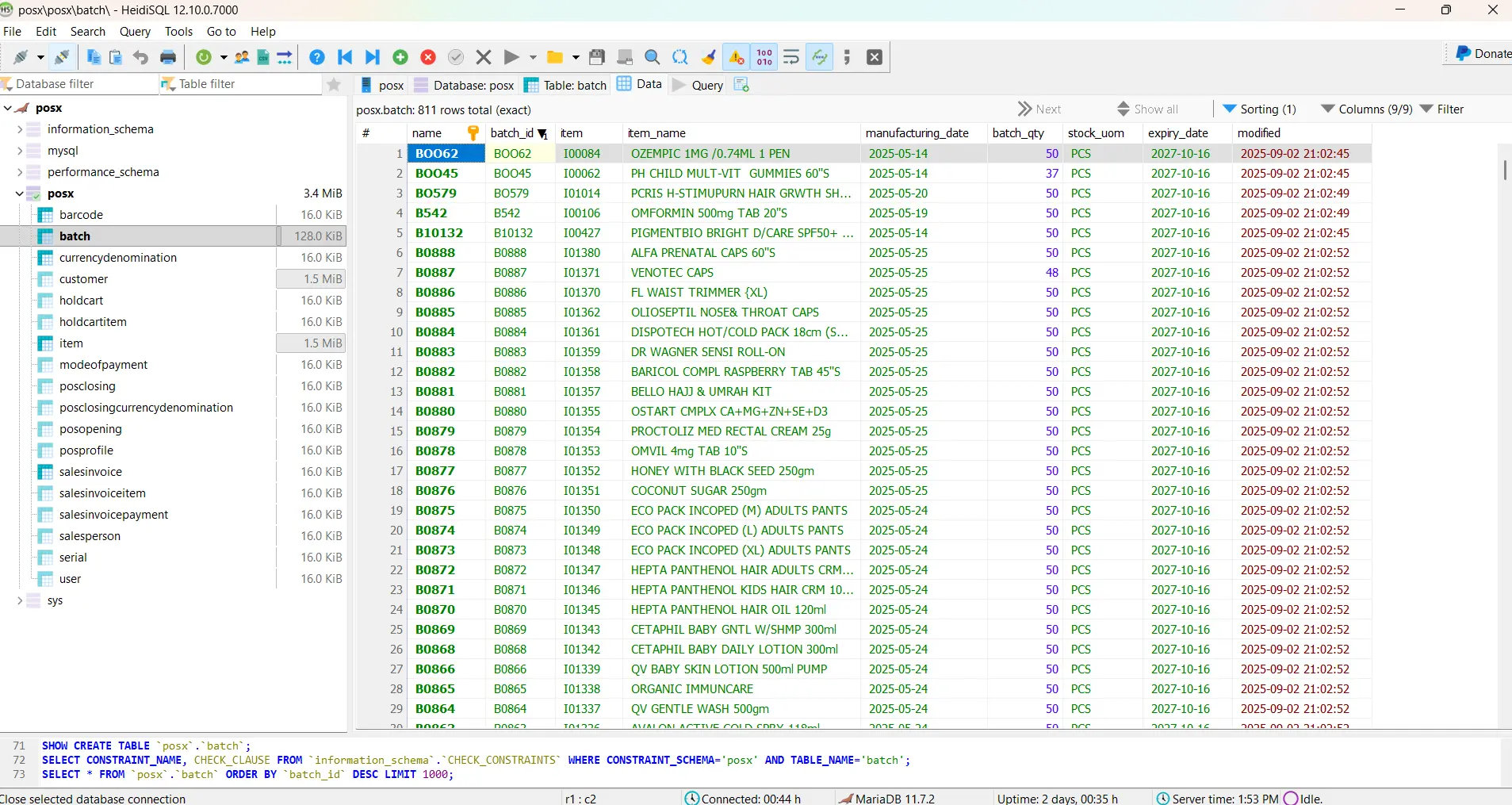
Our offline POS uses MariaDB, the same high-performance database at the core of ERPNext, ensuring full compatibility and stability. MariaDBÃ open-source architecture efficiently handles multiple salespersons, large inventories, and high volumes of sales invoices without slowing down. Its robust storage capacity supports seamless operations even during peak business hours, preventing interruptions and downtime. Choosing MariaDB means lower IT costs, easier maintenance, and a reliable system that keeps your business running smoothly, letting you serve more customers efficiently while staying ready for growth.
Local DB Connector
PosX, our Flutter-based POS app, quickly connects to your local database, letting users log in instantly if data is already synced. A one-time setup handles new installations. Our Frappe-based sync app keeps customers, items, sales invoices, and more up-to-date using secure REST and RPC APIs. The result is a fast, stable, and reliable POS system that reduces IT effort, minimizes downtime, and keeps your business running smoothly across multiple salespersons and devices.
PosX Login
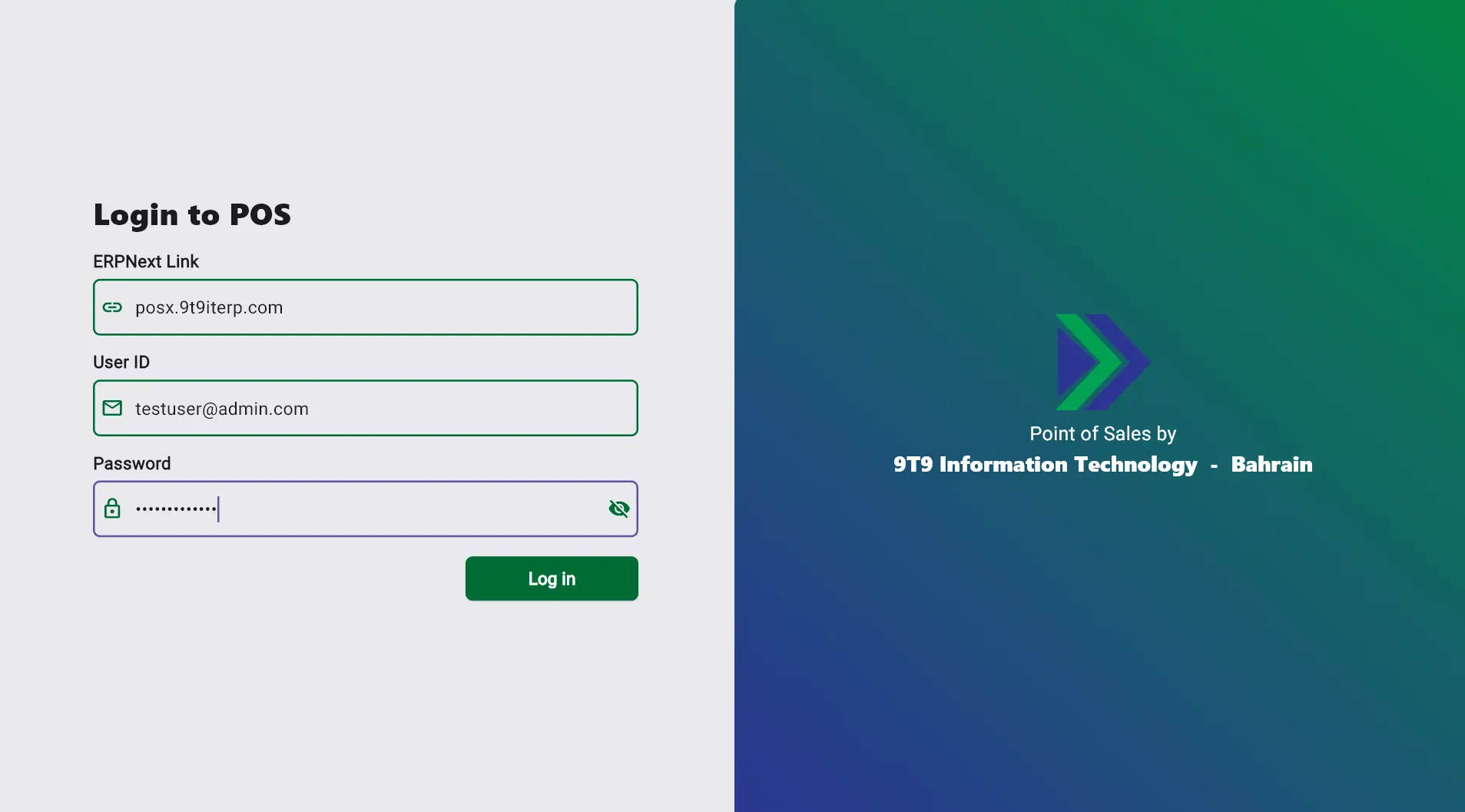
SIn PosX, each salesperson enters their ERPNext URL, ID, and password. The app verifies credentials directly with ERPNext, granting access only when correct. For maximum security, PosX works exclusively with HTTPS-enabled ERPNext sites, encrypting all API traffic and protecting sensitive data. If SSL is not configured, the app will not run, ensuring your system always meets modern security standards. This workflow gives business owners a reliable, safe, and compliant POS solution, minimizing security risks while keeping your sales operations fast and uninterrupted.
First Database Sync
PosX checks for the last synced ERPNext tables, starting the first sync automatically if the database is blank. The sync securely pulls all customers and items, while stock, batches, serials, and payment modes follow the POS profile. Once complete, the app is ready for use, providing a fast, stable, and reliable POS experience that reduces IT effort, ensures accurate sales operations, and keeps your business running efficiently without interruptions.
PosX Default Page
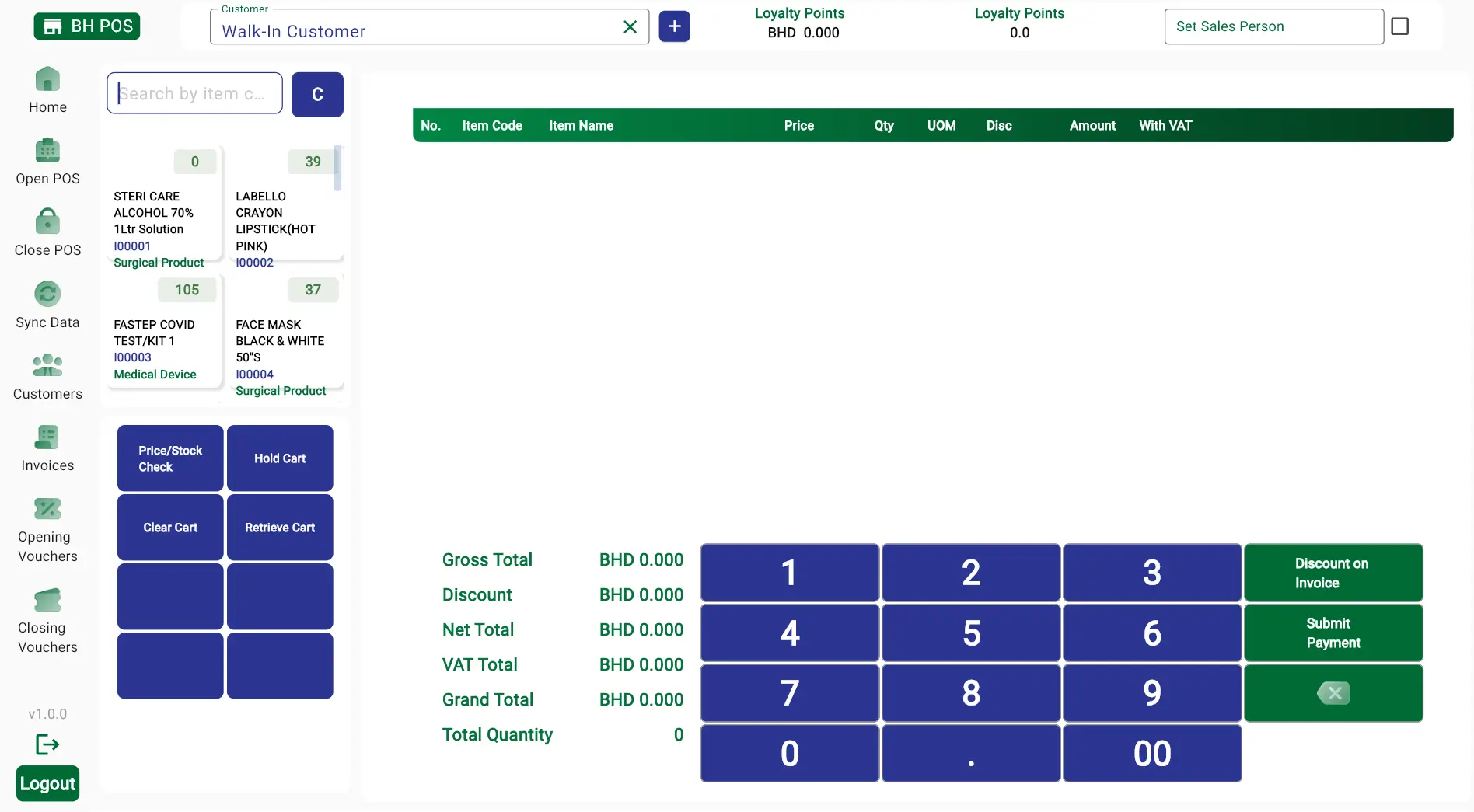
The PosX home page is the default view, giving salespersons all key functions in a single frame. This allows them to start the sales process immediately, minimizing customer wait times. With all information stored locally in the MariaDB database, the app runs lightning-fast, delivering stable, reliable, and efficient performance for smooth, uninterrupted operations.
Opening Voucher
Once the first database sync is complete, sales can begin immediately. PosX ensures accurate cash management by prompting the salesperson to create an opening voucher, which tracks the initial cash in the till. The voucher is automatically assigned an ID and can be edited freely until a closing voucher is created. Once the closing voucher is submitted, the opening voucher becomes locked, preventing errors or adjustments. This workflow provides fast, reliable, and secure sales operations, reduces the risk of cash discrepancies, and ensures your POS system delivers stable, accurate, and efficient performance while keeping the sales process smooth and well-organized.
Item Detail Section
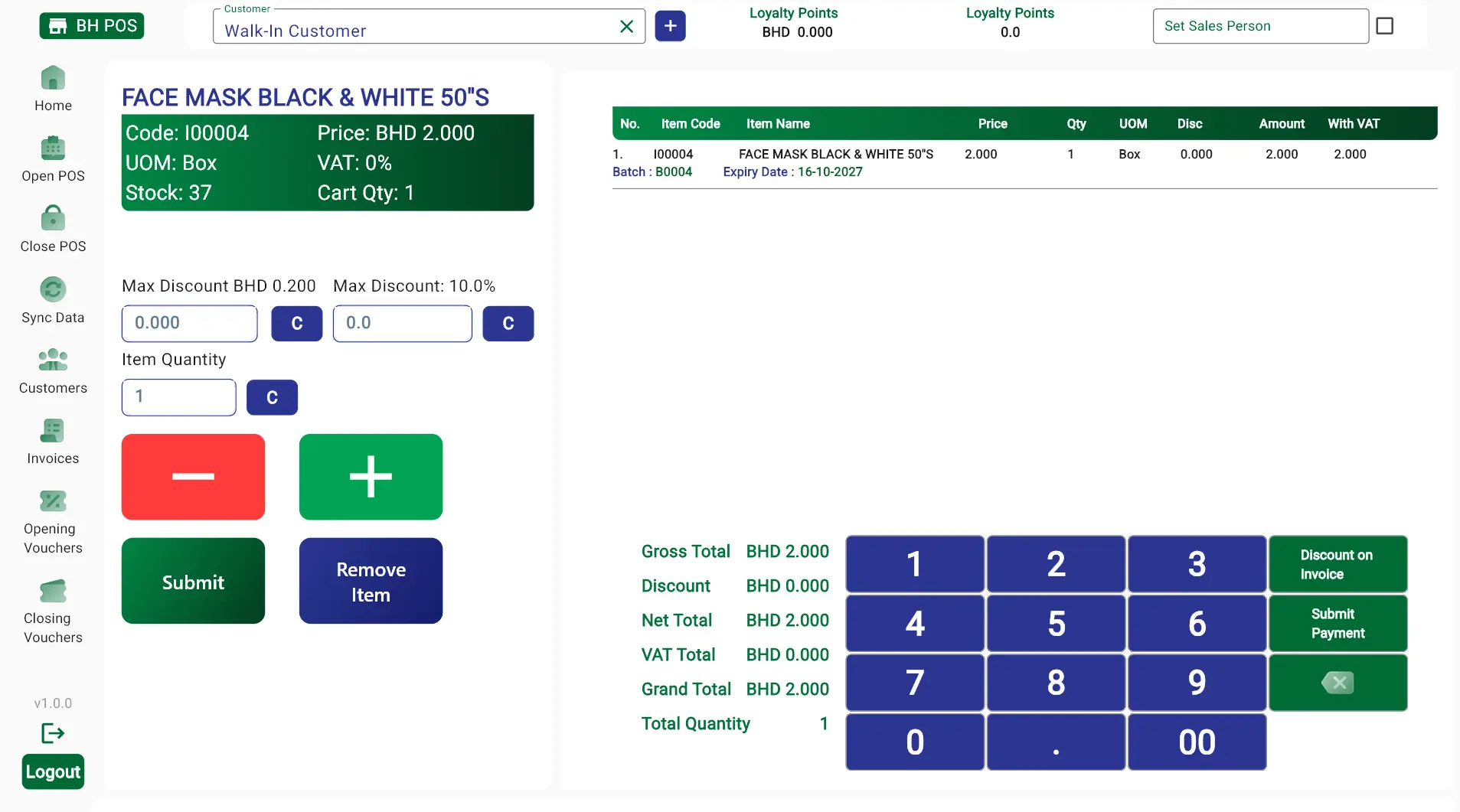
Items can be added to the cart using a barcode scanner or entered manually, allowing salespersons to work quickly and efficiently. Quantities can be adjusted, and discounts applied within ERPNext-authorized limits. PosX prompts the salesperson if a discount exceeds the allowed percentage, ensuring accurate and compliant pricing. Detailed item information, including price and available stock, is always visible, enabling informed decisions. Items can be removed from the cart either by clicking the "Remove Item" button or reducing the quantity to zero. This workflow delivers fast, reliable, and stable operations, minimizing errors and keeping sales processes smooth and efficient for both staff and customers.
Get in touch with 9T9 Information Technology
Reach us directly for ERP consultation, cyber security assessment, or implementation support.